Items
This menu item requires the Item Manager to be installed.
Overview
The Item panel shows a searchable list of the all instances for a given Business Object. Here we record a number of different aspect of a migration.
The different Item types (Activities, Tasks, Milestones, Activities, Risks etc...) and their properties that are available need to be can be configured for your particular project and use. This is done by an administrator and therefore might differ from what we are displaying here as an example (for more please refer to Item Manager Setup).
Once a migration is in process Items are created to support a project, they can be configured and changed at any time. An Item can be created and assigned to a Team member.
When an Item is created, we can add a number of things, i.e., the impact of this specific Item, the date range for the Item, the expected complete time, etc. Remember Items can be any project property (Activities, Tasks, Milestones, Activities, Risks etc...).
These Items are used to manage or track specific tasks of a migration along with the ability to assign and see updates for specific tasks.
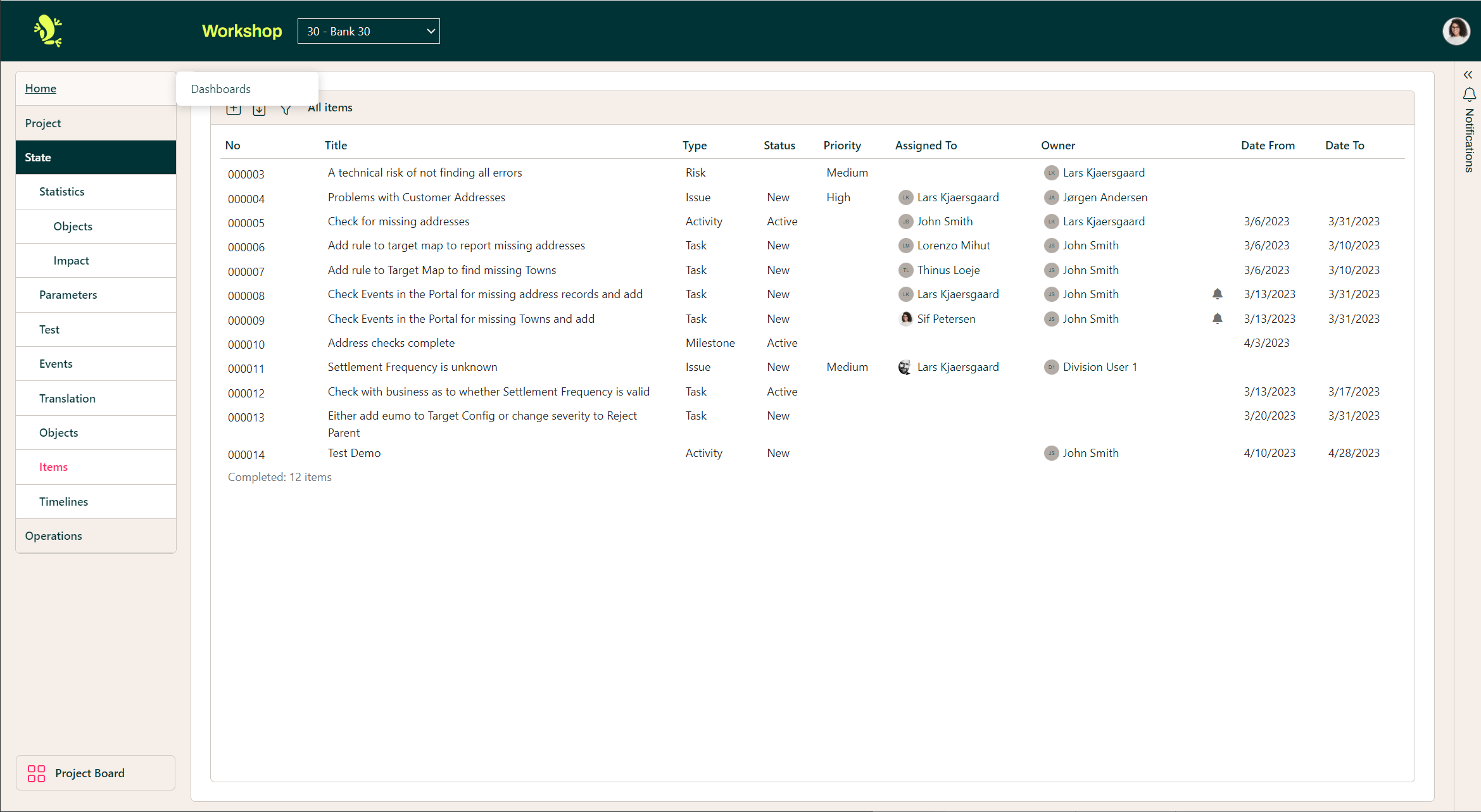
The illustration above shows a full list created for this project, below gives a brief explanation of the headers for this sample project's Item configuration.
| Column | Description |
| No | Number of the item, which is unique within the project and automatically generated when creating new Items. |
| Title | The title of the issue, which is stated by the user when creating a new item. |
| Type | The type of item, which is stated by the user when creating a new item. The following types are currently in use (please refer to Item Manager Setup):
|
| Status | The current Status of the item, must be set during creation and can be updated when editing the item. The following statuses are currently in use (please refer to Item Manager Setup) and the use of these is to be agreed within the team:
|
| Priority | The Priority of the Item as stated upon creation or later change. Currently, this is only available for Types: Issue and Risk. The following Priorities are currently in use (please refer to Item Manager Setup) and the use of these is to be agreed within the team:
|
| Assigned to | The user which is supposed to handle this Item. |
| Owner | The user who owns this Item. |
| Date from | Expected start date of the Item (currently only available for the types: Activity, Task, Milestone, and Release – please refer to Item Manager Setup) |
| Date to | Expected end date of the Item (currently only available for the types: Activity, Task, Milestone, and Release – please refer to Item Manager Setup) |
To create a new Item, click the plus symbol, this will show the below:
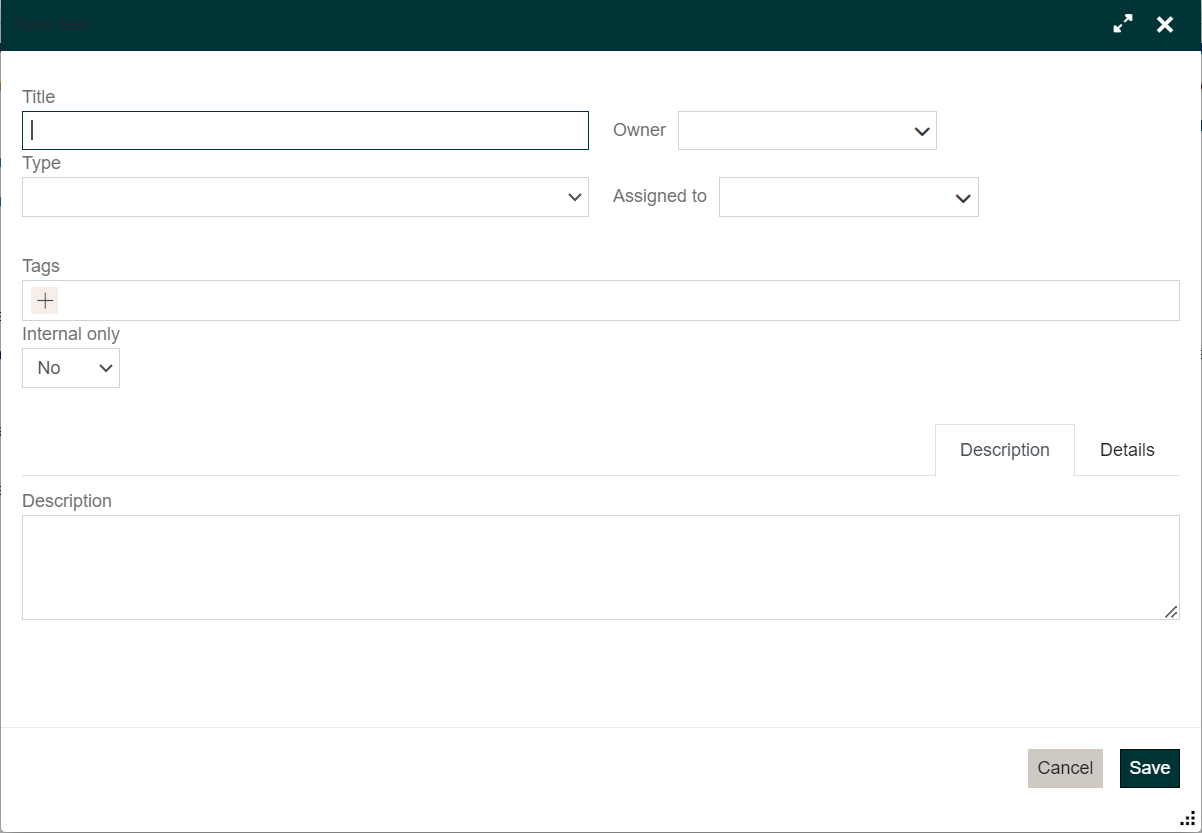
The context here enables users to enter the above information, as explained previously, this pop-up allows users to form discussions, tag users, assign to, etc.
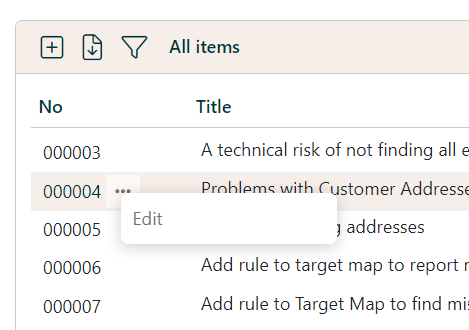
To modify/edit an Item, click the relevant row in the column under the No heading
It is also possible to get Notifications on Items.
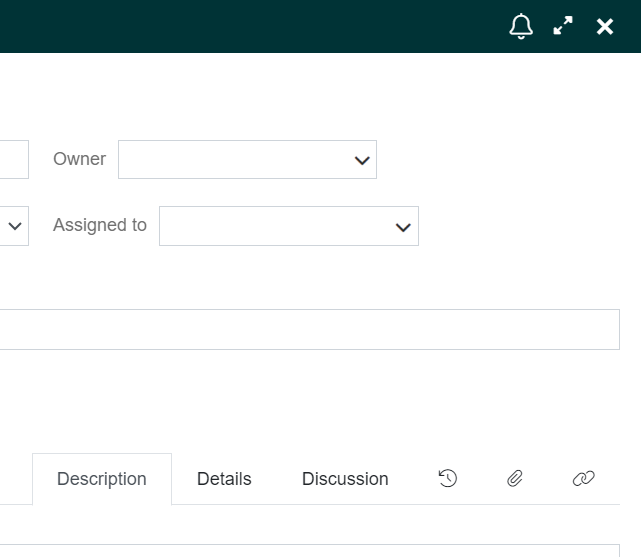
In the top right corner, there is a bell icon – click on that:
Then add a Comment (name) so you know which subscription you’ll get an alert for – click Confirm.
You can read more about Items in Creating and Using Items