Additional Fields in the Source Map
The Additional Fields are a bit of a fringe use-case. Some background:
The fields of each Business Object (root and child hierarchy) that must be assigned values originate from the imported interface from the Target Map. It is the Interface Fields on each Business Object in the Target Map that appear on the same Business Object (and all copies) in the Source Map to be provided a value.
Advanced users of Hopp use the solution not only to migrate data into their system from an external party. They also use Hopp to merge separate businesses running within their system. As an example, a provider running a single, hosted banking system for multiple banks uses Hopp when 2 of the banks merge. In this use case, there is only one system - the Source System and the Target System is the same. The provider creates a Source Map extracting from the system and performs the transformations necessary to merge one bank onto the other.
Why Additional Fields?
A benefit of this Source Map extracting from your own system is that you can use it for off-boarding- if you need to extract from your own system in order to deliver to an external party. For instance, in the example above, if the provider loses a bank to another provider and needs to extract the data for that single bank from his multi-bank system.
The Source Map produces Business Objects and their fields as defined by the Target Map that is used when the provider migrates into his own system. However, the external party receiving the data may have requirements for fields that are not defined by the Target Map as Interface Fields. This is where the Additional Fields come in.
Additional Fields are defined for a Business Object as an addition to the interface imported from the Target Map. This is done on the Source Map itself - the root node in the Project Explorer on the Target tab:
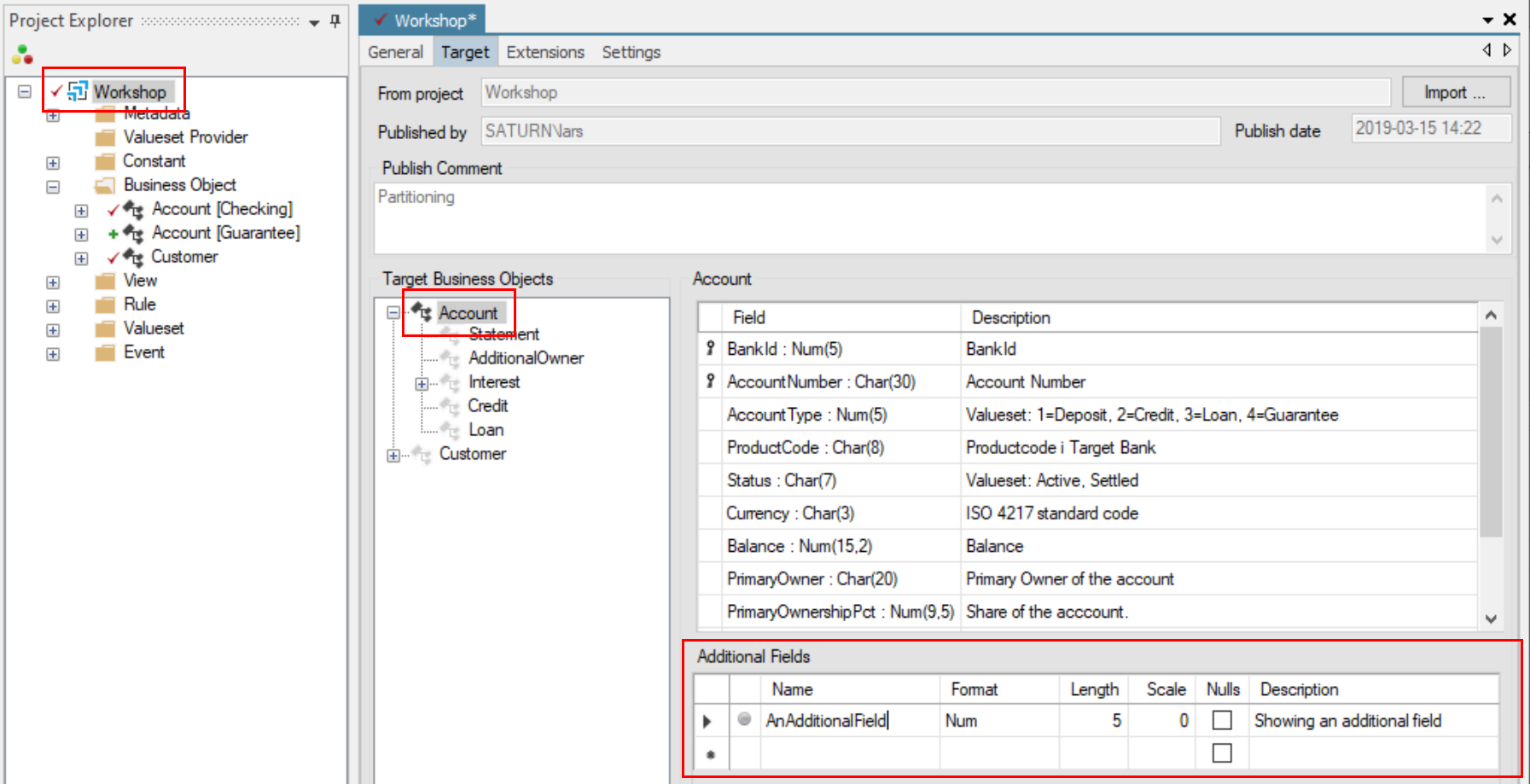
Select the Business Object (or child Business Object) in the Target Business Objects tree-view and add Additional Fields as desired. Names of Additional Fields must be unique among the combination of Interface Fields and Additional Fields for the Business Object. This is validated by Studio.
Once an Additional Field has been added in this way to a Business Object in the imported Target Interface, it will appear on all copies of the Business Object in the Source Map:
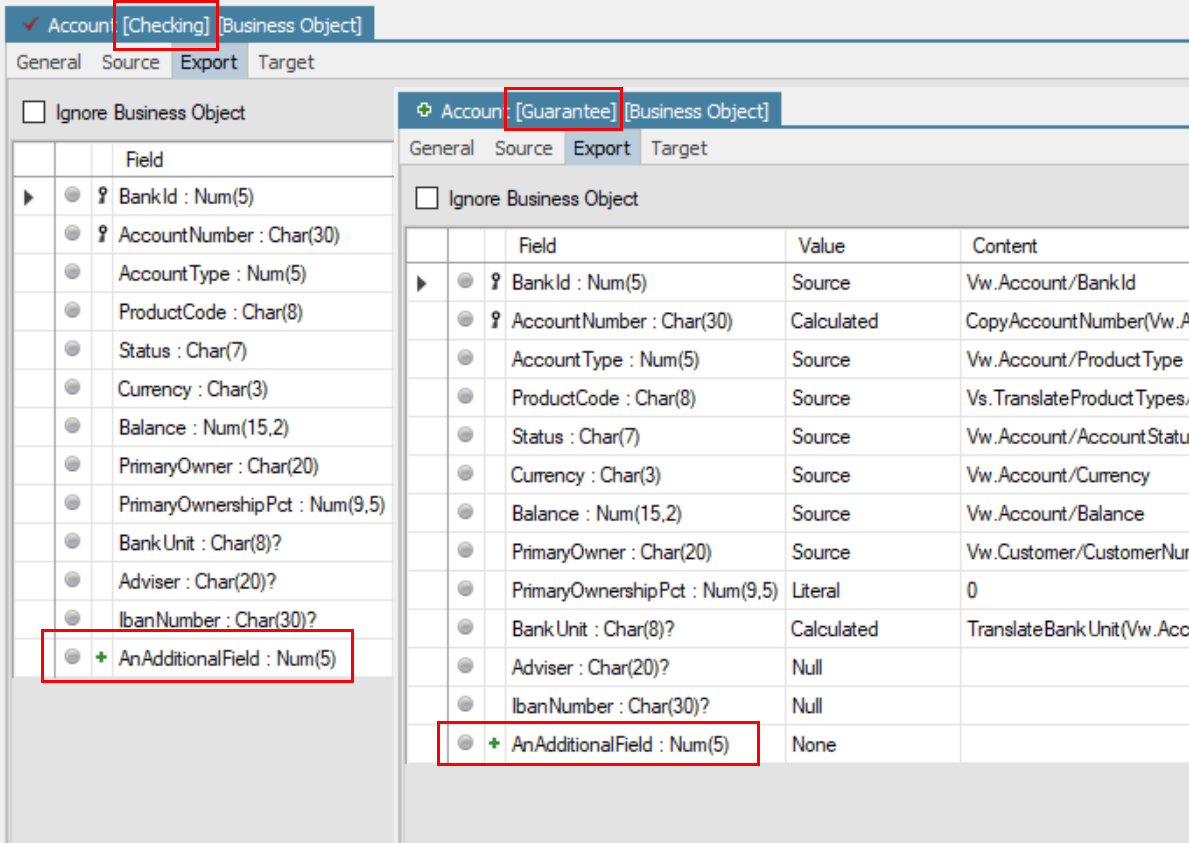
The Additional Fields appear in the same list as the fields from the Target Interface and are marked with a  .
.
The Additional Fields will always be output by the generated Source Engine after the Interface Fields defined by the Target Engine. If the output is sent to the Target Engine, it will only process the Interface Fields and ignore any Additional Fields.
Additional Fields Summary
The Additional Fields allow you to add fields to the output from the Source Map in addition to the field required by the Target Map. At run-time, any Additional Fields are simply ignored by the Target Engine.