Metadata
Metadata needs to be imported into both the Target and Source maps. This screen has three tabs.
List View
Clicking on the Metadata folder in the Project Explorer opens the Metadata list.

This screen provides a summary of the structures for each metadata source
General Tab
This tab has three fields, to record the Name, Description and Comments about the Metadata.

The Name is the only mandatory field, but as with Description and Comments fields elsewhere in the Studio, it is good practice to use these to record additional informative details about the migration mapping for other users.
Metadata Tab
This is where Metadata structures are imported and their details are displayed. To import Metadata, the Provider must first have been specified (see Provider Tab, below).

Each metadata structure imported can be assigned one of three different Usage types. The Usage Active means that you can use the metadata structure in the mapping. The Usages Inactive and Skip determine whether a staging table for the structure will be created or not:
- Skip
- A table corresponding to the structure will not be created in the staging database and you cannot use this structure in the Source Map at all.
- Inactive
- A table corresponding to the structure will be created in the staging database, but you still cannot use this structure in the Source Map. This comes in handy because you can then load the data from the Source System into the staging table and thus be able to analyze the data with the powerful aid of SQL. If you then decide you need this structure in the Source Map, you can change the Usage to Active.
- Active
- A table corresponding to the structure will be created in the staging database and you can use this structure in the mapping. However, if a structure is marked Active, and you do not use it anywhere in the mapping, the Studio validation will mark that as an error: You said you needed the structure, but you are not using it anywhere.
Provider Tab
This is where the details of where the Metadata can be imported from are specified.
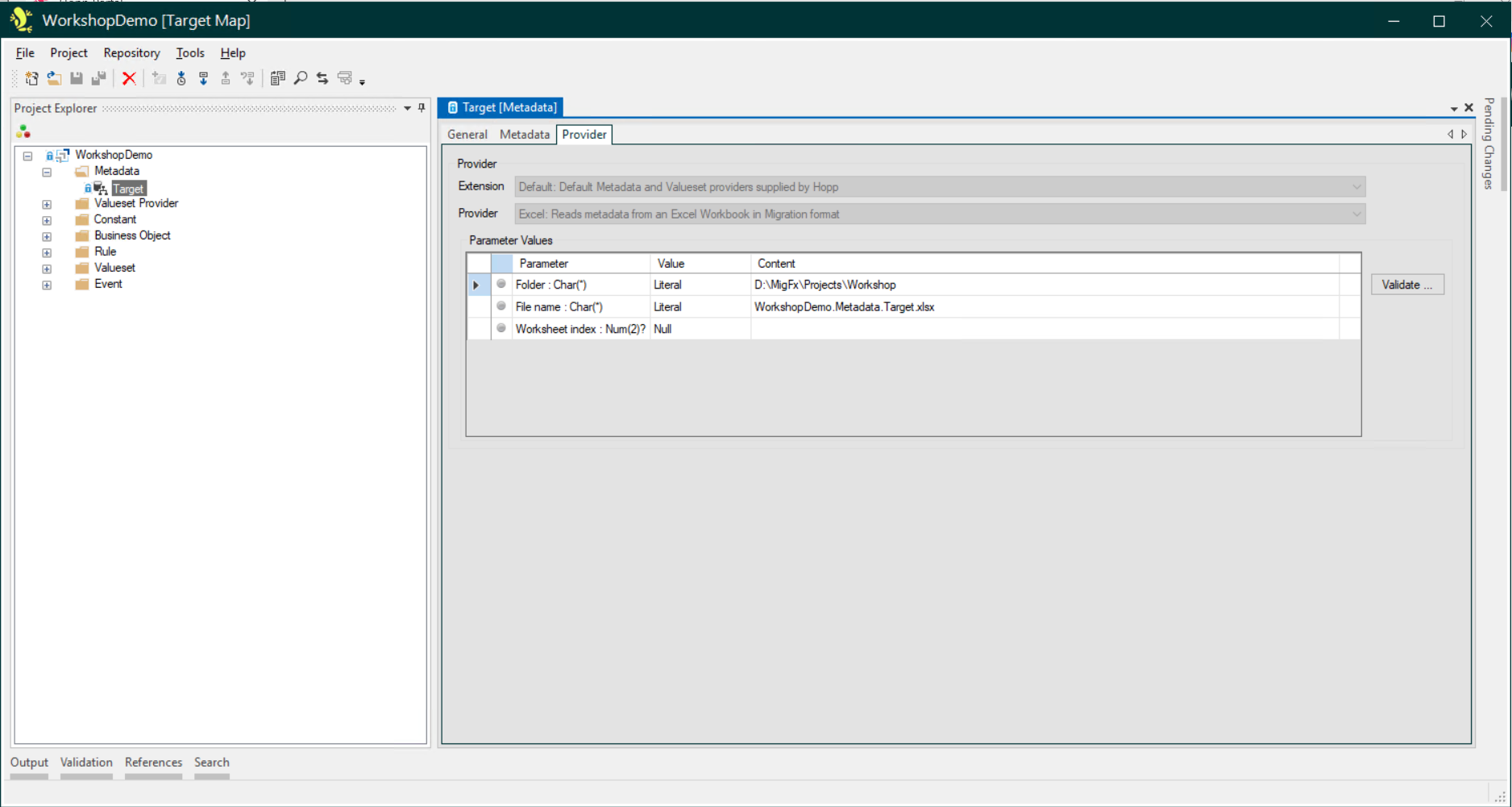
The Parameter Values that need to be provided are governed by the Extension and Provider specified. Note that to use an Extension, it must first have been selected for use on the Extensions tab in the root node for the Project.