Studio Projects
The root node in the Project explorer records key details about a Project in Studio. You need to check out in order to modify any details.
General Tab
This tab has three fields, to record the Name, Description and Comments about the Project.
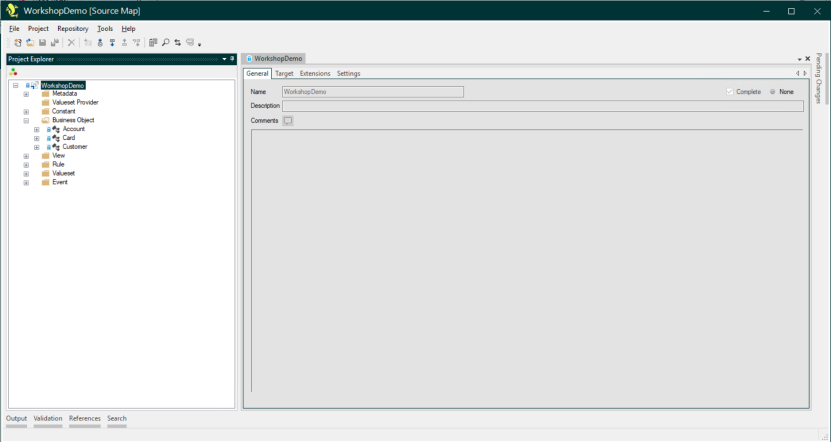
The Name is the only mandatory field, but as with Description and Comments fields elsewhere in the Studio, it is good practice to use these to record additional informative details about the migration mapping for other users.
Target Tab (Source Map only)
This is where newly published Target Interfaces from the Target Map are imported into the Source Map.
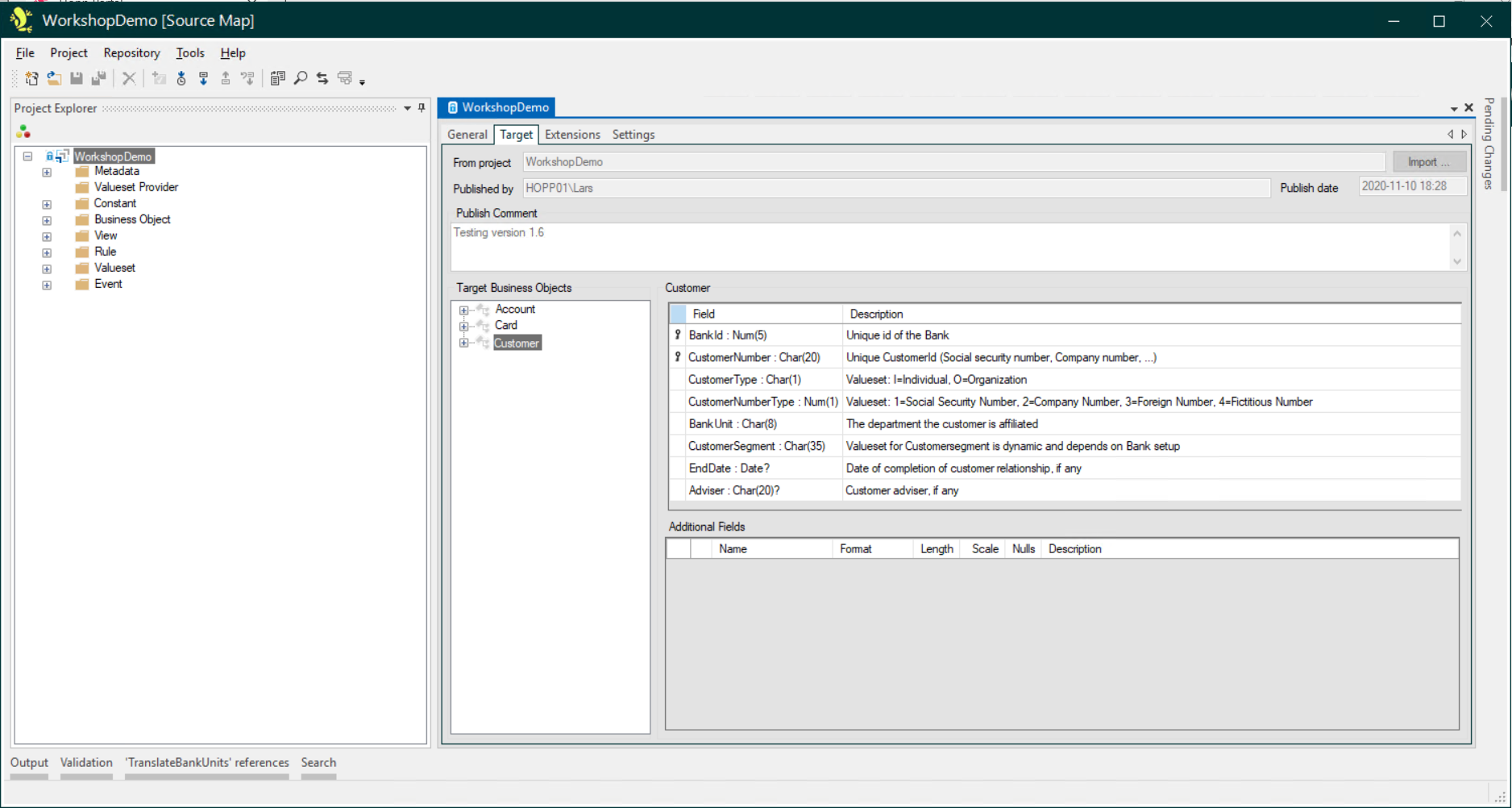
Additional fields can also be specified for use with any target business objects in the Source Map from this screen. You can read more about additional fields in Additional Fields in the Source Map
Extensions Tab
This is where the Extensions for Metadata and Valueset Providers that the Project needs to use are set.

Settings Tab
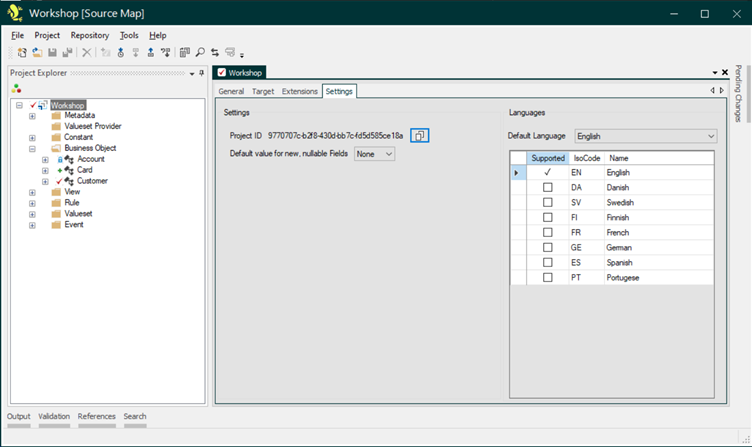
Here, you can access the Settings for the Source- or Target Map you are working on.
Settings
-
Project ID: This is the ID that identifies this Target- or Source Map. When things are wired up in the Portal Configuration, it is this ID that must be provided for the engine that will be generated on the basis of this map. For convenience, a button is provided to copy the ID to the clipboard
-
Default value for new, nullable fields: Use this setting to determine which value will be assigned to new fields with a nullable data type (suffixed with a ?).
-
None: All new fields will be assigned a None value, regardless of data type.
This setting ensures that all new fields will generate a validation error until they expressly have been assigned a value.
-
Null: New fields with a nullable data type will be assigned a Null value and new fields with a non-nullable data type (no ? suffix) will be assigned a None value.
This setting will avoid validation errors when importing new fields with a nullable data type.
For a Source Map, the setting is used when a new Target Interface is imported and values are assigned to new Interface Fields.
For a Target Map, the setting is used when new Metadata is imported and values are assigned to new Target Fields.
If the setting is changed for an existing Map, the values for all nullable fields will automatically change, unless expressly set.
-
Languages
Here you can decide which languages you want to support for the messages of the Events defined in the Source- or Target Map. Choose one of the supported languages as the Default Language.
When creating or modifying an Event, Studio will ask you for a text in all supported languages. If no text is supplied for the Default Language Studio will generate a validation error for the Event.
The Portal will use these language texts to display the Event messages in the language chosen by the current user. If no language is supplied, Portal will show the text in the Default Language set for the Project. If no text is found in this language, the Portal will show the text in English.
English is always supported (it cannot be deselected).