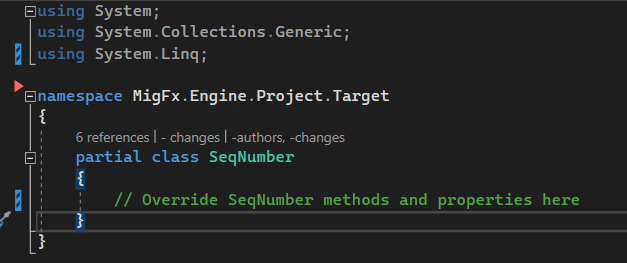
Manual Rule Implementation
Adding manual implementations of Bags and Rules
The Visual Studio extension also comes with templates for the manual implementations of Bags and Rules in both the Source and the Target Engine.
Adding a Rule
Simply right-click the folder in which you want to add a Rule implementation and choose Add Rule...:
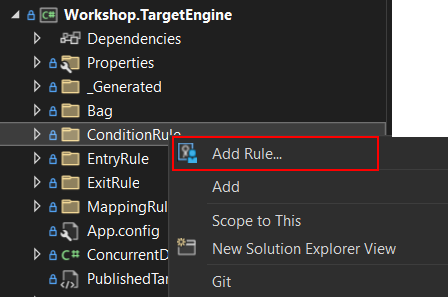
Provide the name of the Rule you are implementing. This should be the same name as in Hopp Studio:

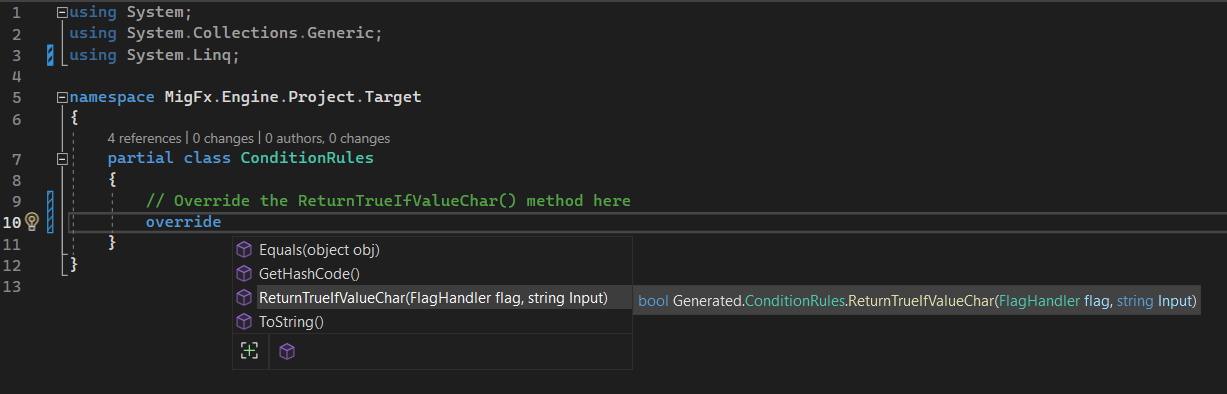
A new .cs file will be added to the selected folder and will open in Visual Studio. The file is all prepared, and all you now have to do is to override the method provided by the generated code:
Adding a Bag
Right-clicking the Bag folder gives the option of adding a Bag:
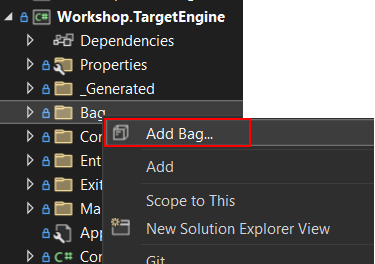
Again, provide the name of the Bag to implement - the same as in Hopp Studio and the .cs file with the Bag implementation will be added to the Bag folder and opened in Visual Studio: