Target
Objects
A Business Object represents all the data flowing through the migration related to one specific item in the business being migrated. Examples of Business Objects, of course, depend on the nature of the business but could be Customers, Account, Policy, Patent, Mortgage etc.
On the Objects panel we see the objects for this particular project displayed as Account, Card and Customer.
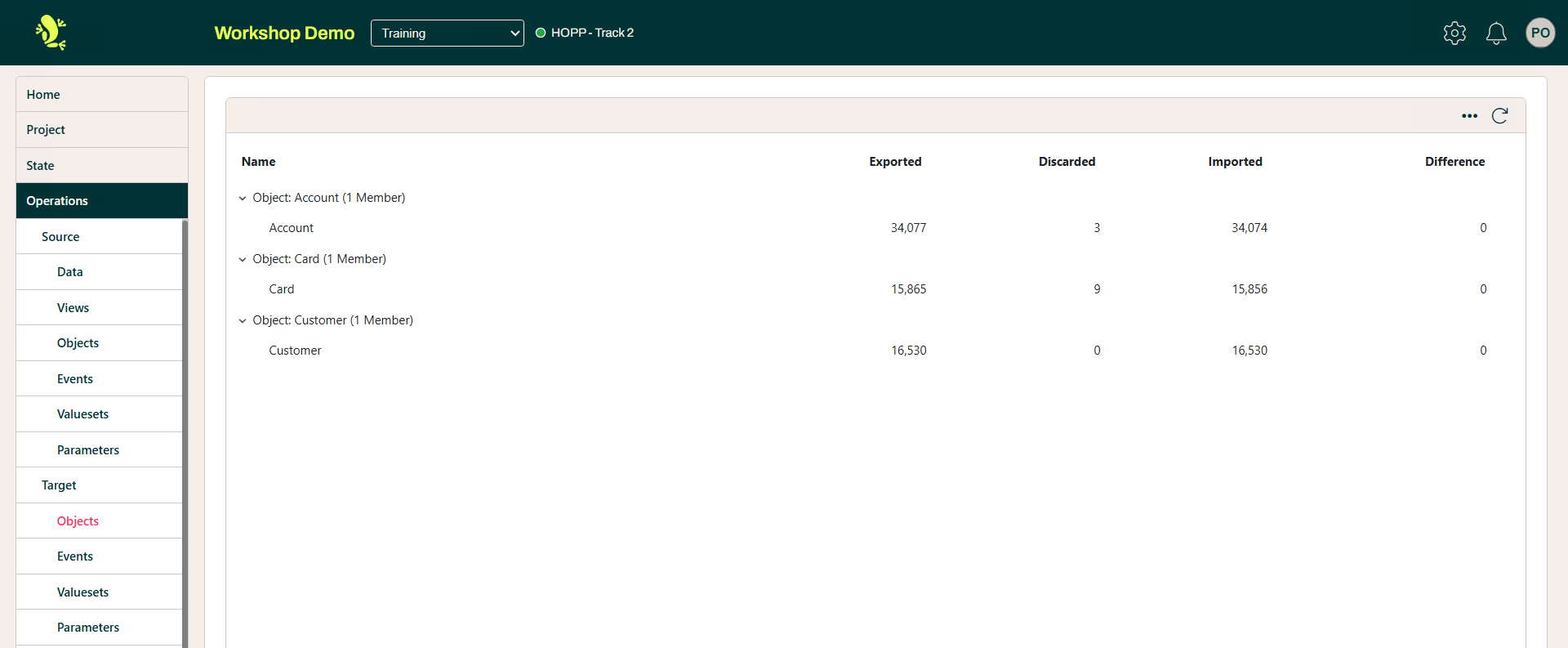
The headers in the illustrations are pretty much self explanatory but here is a brief summary of the above.
- Name
- Business Object
- Exported
- Business Object exported from the migration
- Discarded
- Business Objects rejected
- Imported
- Business Object imported into the migration
- Difference
- The difference between the Objects migrated
The context menu provides the options to:

- Import
- Import entities into the migration
- Unload
- Unload an entity from the Business Object migration
- Transfer
- Provides a list of all Unloads and Imported entities
The Import option requires extensive details as illustrated below.
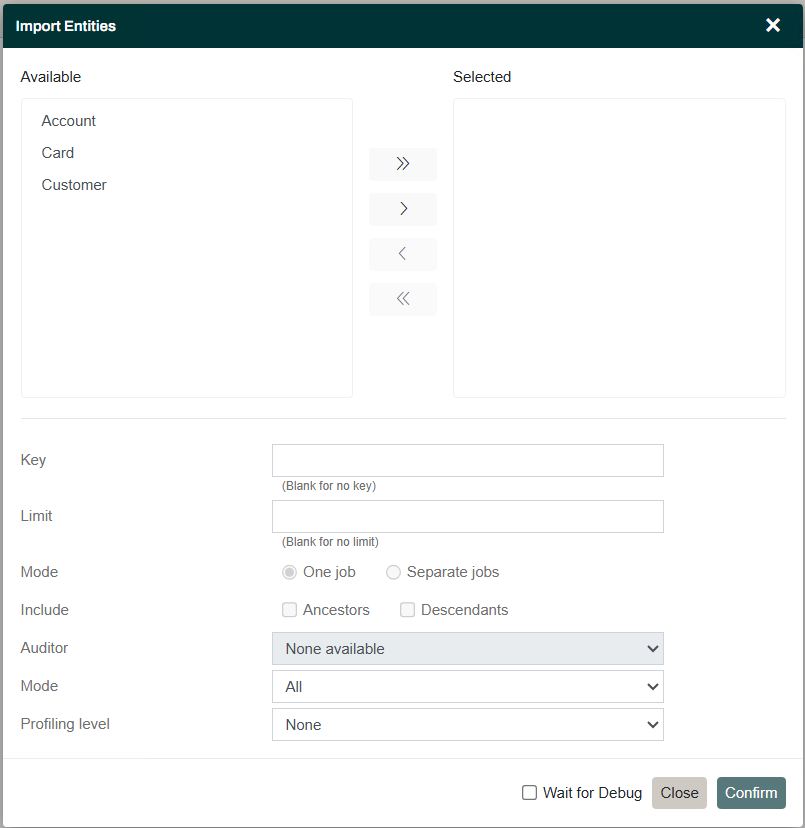
Here is a brief summary of these.
| Field | Description |
| Key | The key identifying the item in the Source System. This is the given by the Discriminator defined on the Business Object in the Source Map |
| Limit | Limit on the amount of records |
| Include |
|
| Auditor | Whom the migrations has been audited by |
| Mode | Select differences or rejected |
| Profiling Level | The level as which the import such be conducted, Job, Item or Trace |
Events
Events from the Target Map are handled in the same way as those from the Source Map.
Valuesets
Valuesets from the Target Map are handled in the same way as those from the Source Map.
Parameters
Parameters from the Target Map are handled in the same way as those from the Source Map.